Analytics
Studio analytics in a couple of clicks
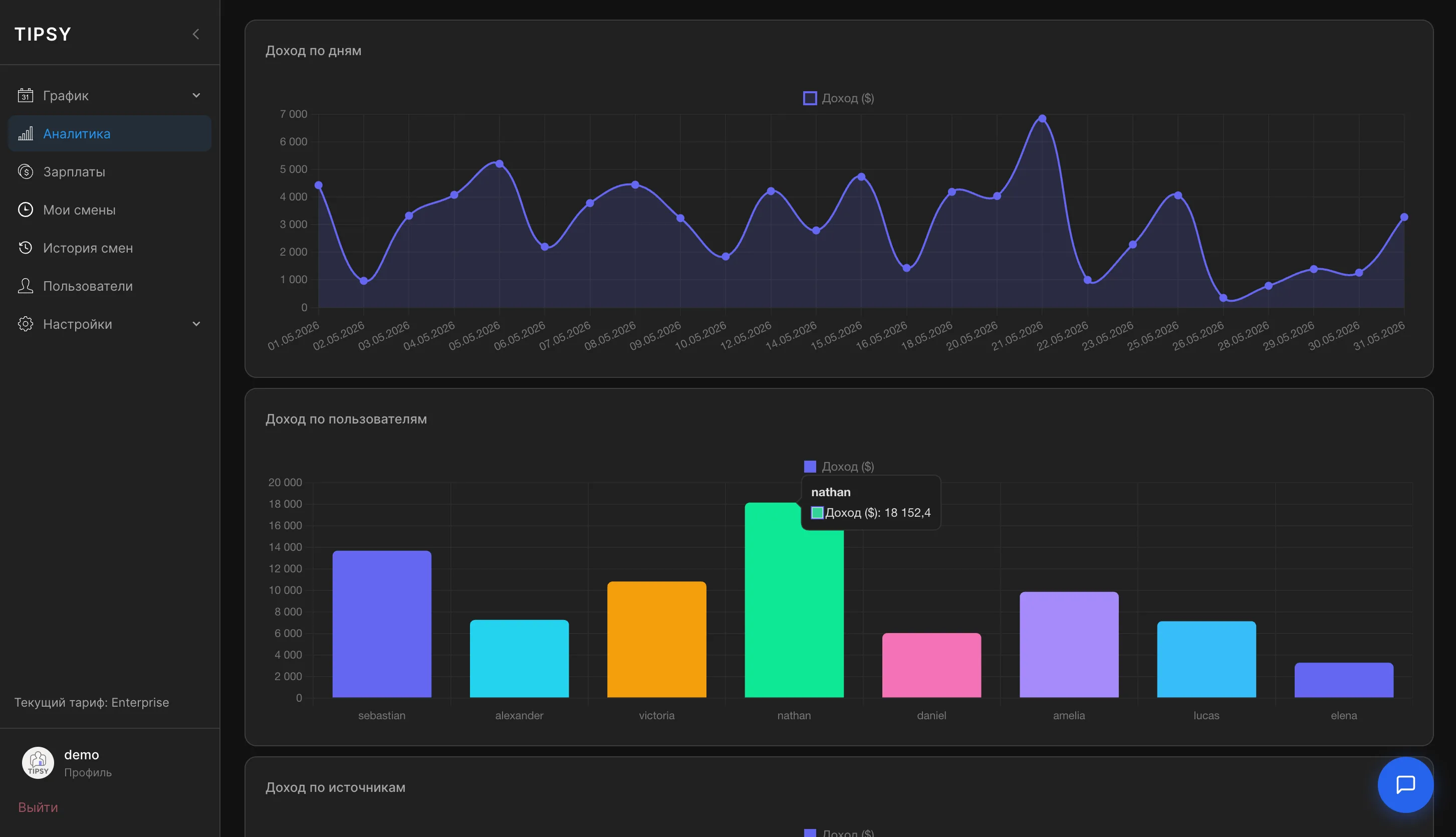
Revenue by day, by employee and by platform on a single screen. The system points out what deserves your attention.
Step-by-step guide in the documentationTipsyCRM / Analytics
What it does
01
Revenue by day
A revenue chart for any period: dips and peaks are easy to spot and tie back to shifts.
02
Revenue by employee
Compare models side by side: who earns more, whose income is falling and who needs coaching.
03
Revenue by platform
How much each source — LiveJasmin, Chaturbate, Stripchat and others — contributes to studio revenue.
04
Period comparison
Trends against the previous period, so decisions rely on numbers rather than gut feeling.
Other features
All featuresReady to run your studio more effectively?
Open the demo or leave a request — we will walk you through launching TipsyCRM in your studio.
Questions? Message our manager on Telegram